Step 1: Access to the web site: https://sdap.freshdesk.com
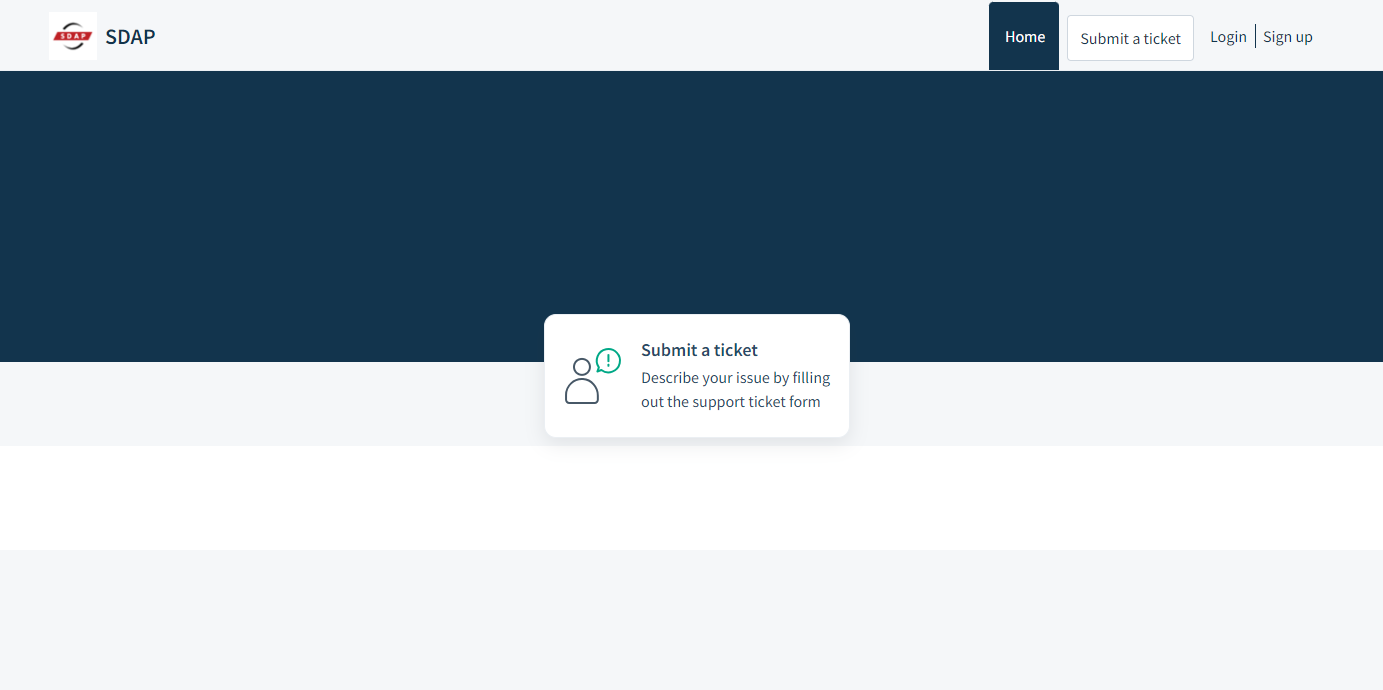
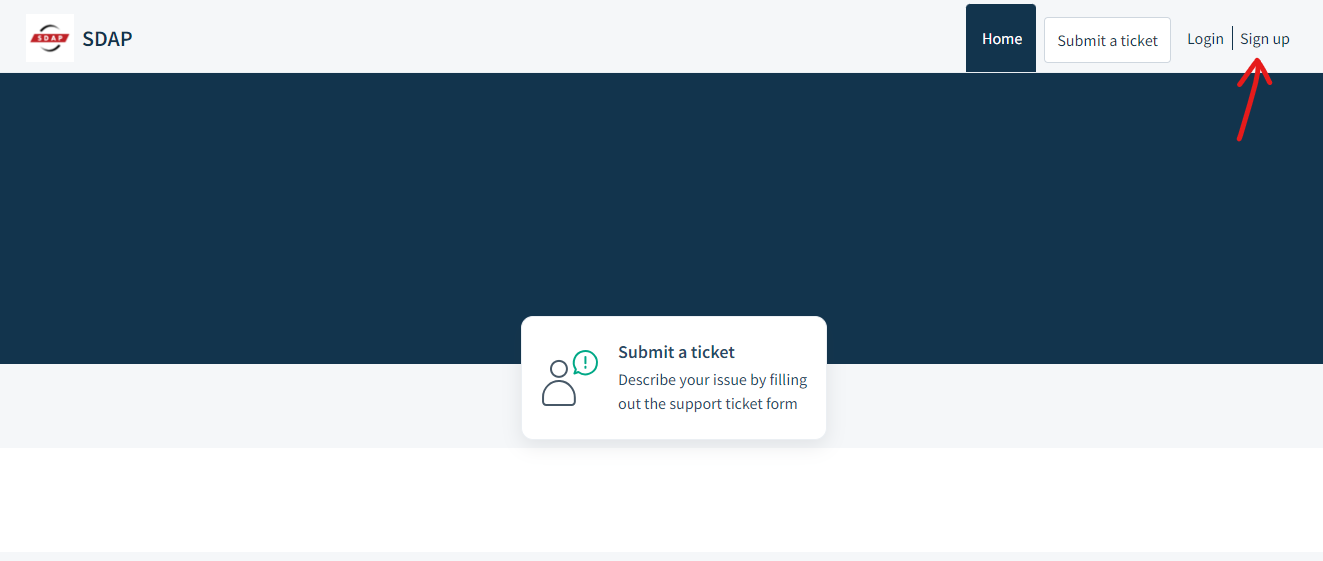
Step 2: You can “Sign up” to create your own account for your ticket status and history checking. If you got an account, please go to Step 7.
OR you can directly create your support ticket by clicking “Submit a ticket” as a guest. Please go to Step 8.
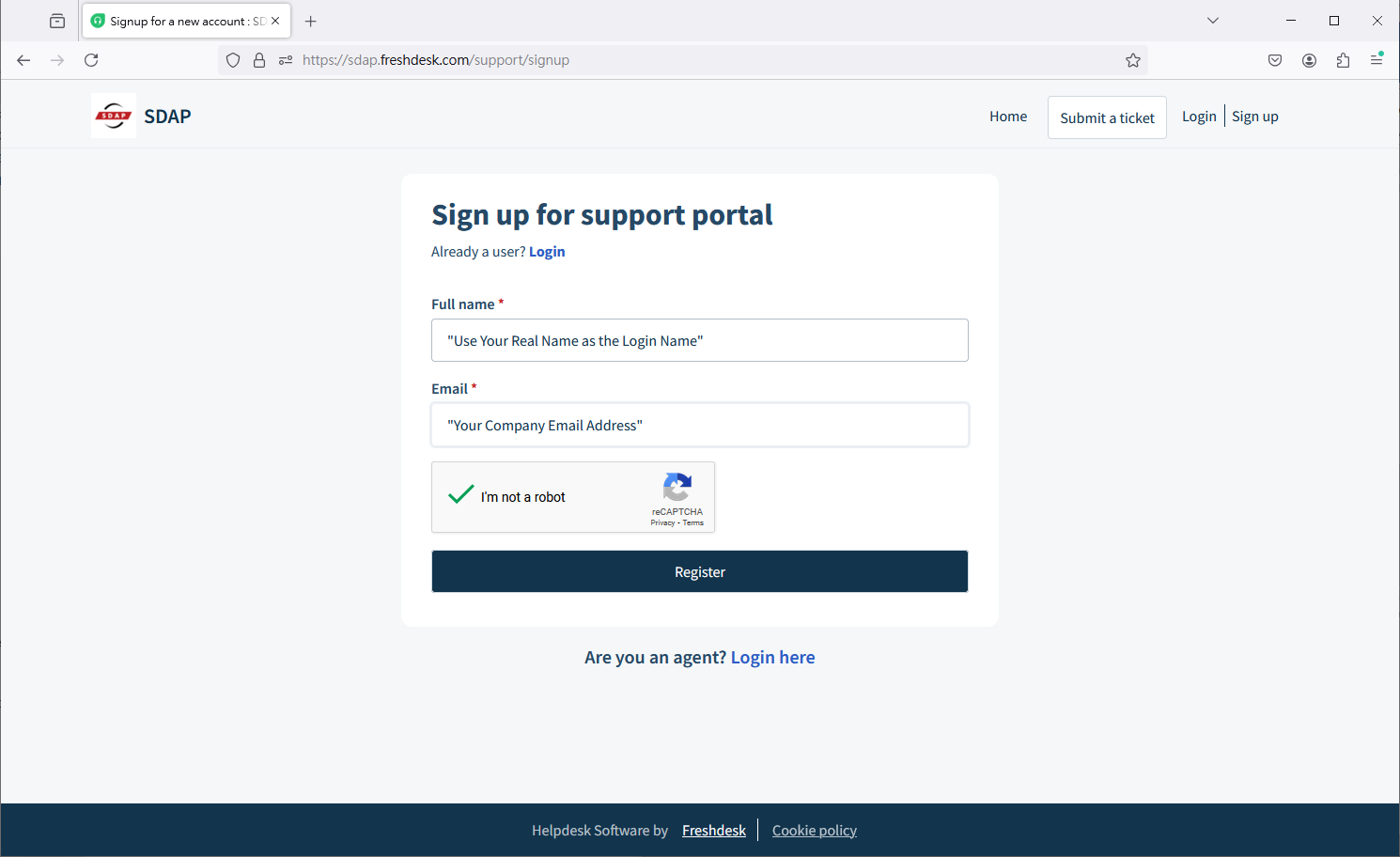
Step 3: Please use your name and company email address to create an account, this can help us indicate you are our MSP client right away.
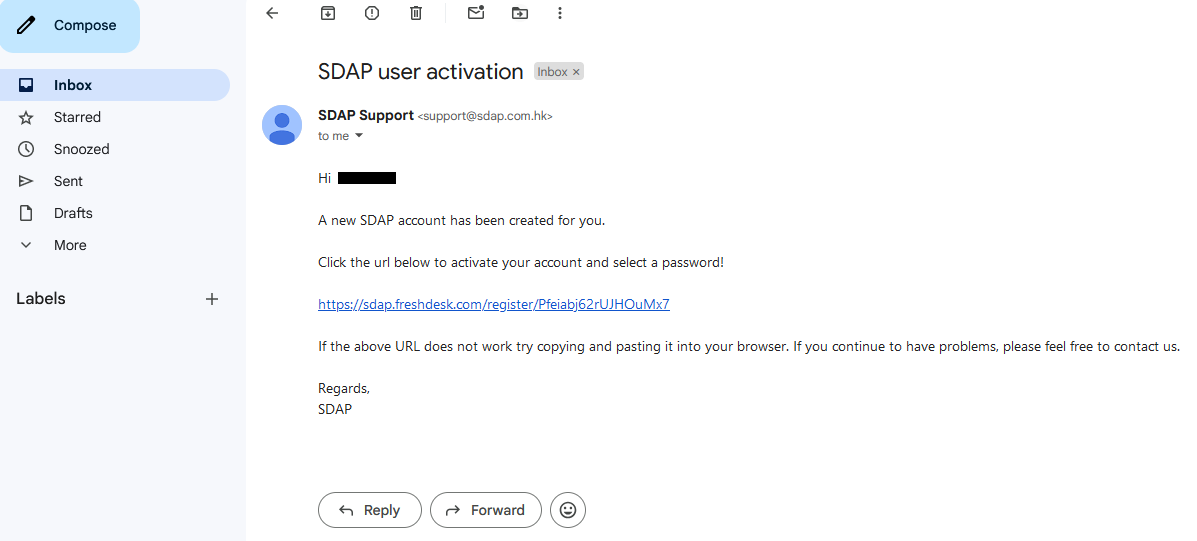
Step 4: We will send you an email with activation link.
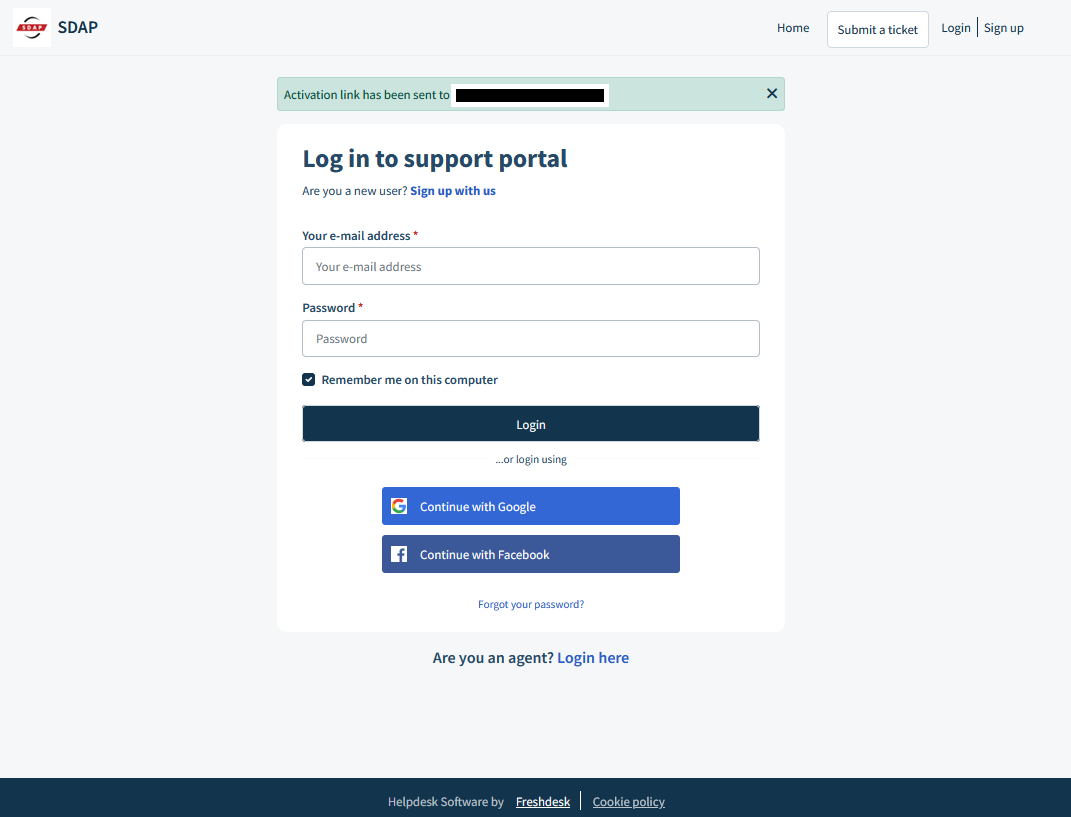
Step 5: Please check your Inbox or Spam folder and click the link for account activation.
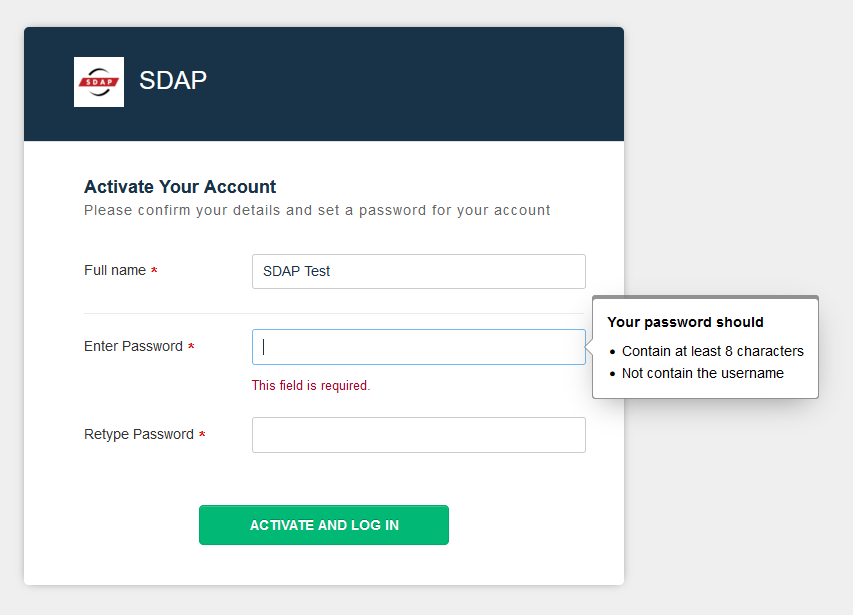
Step 6: Create your own password.
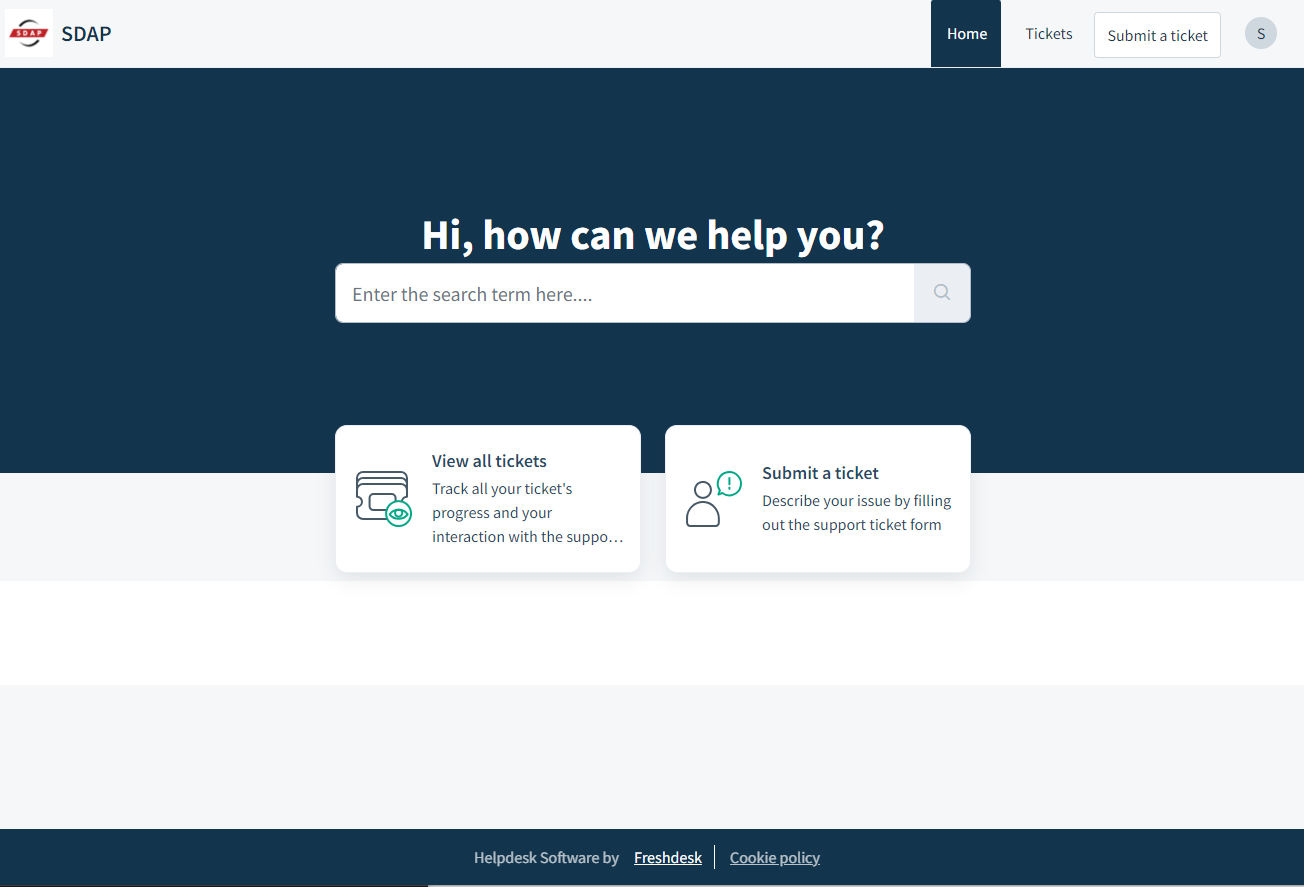
Step 7: After login, you can submit your new ticket by clicking “Submit a ticket” or view your ticket history by clicking “View all tickets”.
Step 8: When you submit your ticket, please use your company email and company phone number as your contact information. Please categorize your request by selecting the most relevant category. You can also provide a detailed description of your issue and attach any relevant files. This will help us assess the urgency and priority of your request and ensure it gets routed to the appropriate engineer or escalated if necessary.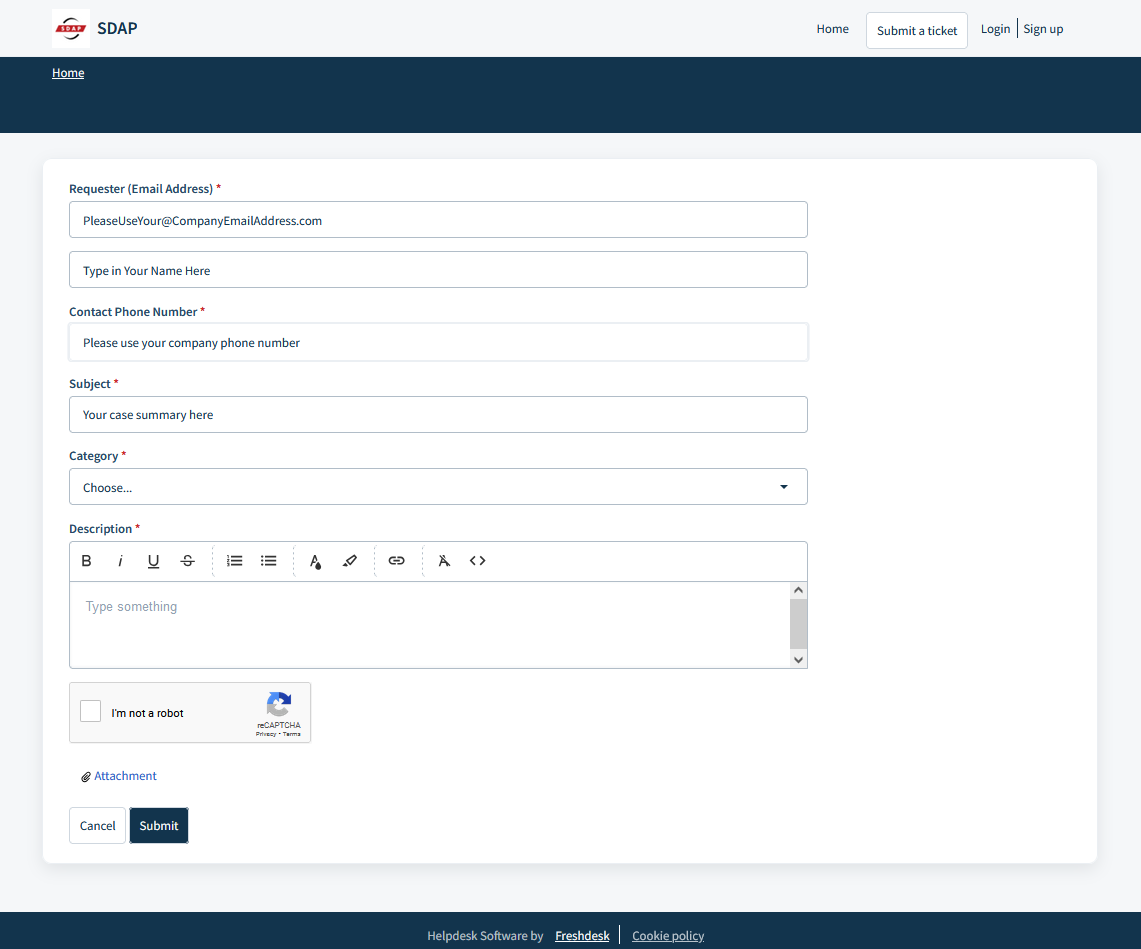
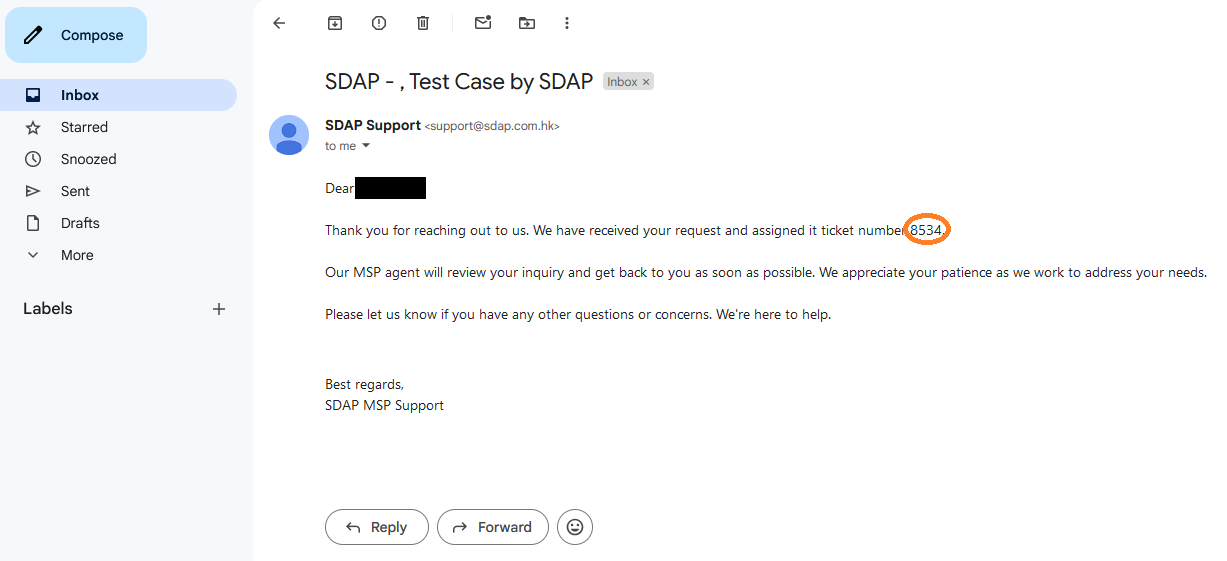
Step 9: You will receive a confirmation email with your ticket number after submitting your request. If you have created a login in our system, you can view your ticket history by clicking "View all tickets" (Step 7).
We strongly encourage you to submit your support requests through the (https://sdap.freshdesk.com/) portal. However, if you are not unable to use the portal, you may also send an email to support@sdap.com.hk. By providing a brief description of your request, our team will be able to assess the urgency and priority and direct it to the appropriate engineer or escalate it to a higher level if necessary.
We appreciate your understanding and cooperation in using the designated channels for your support requests. This will enable us to provide you with the best possible service and address your needs in a timely and effective manner.
Was this article helpful?
That’s Great!
Thank you for your feedback
Sorry! We couldn't be helpful
Thank you for your feedback
Feedback sent
We appreciate your effort and will try to fix the article